Staying Connected in Korea
Korea has the fastest internet in the world, and staying connected is essential for navigation, translation, and communication. Here are your best options.
Option 1: Korean SIM Card
A local SIM card gives you a Korean phone number and high-speed data.
Where to Buy
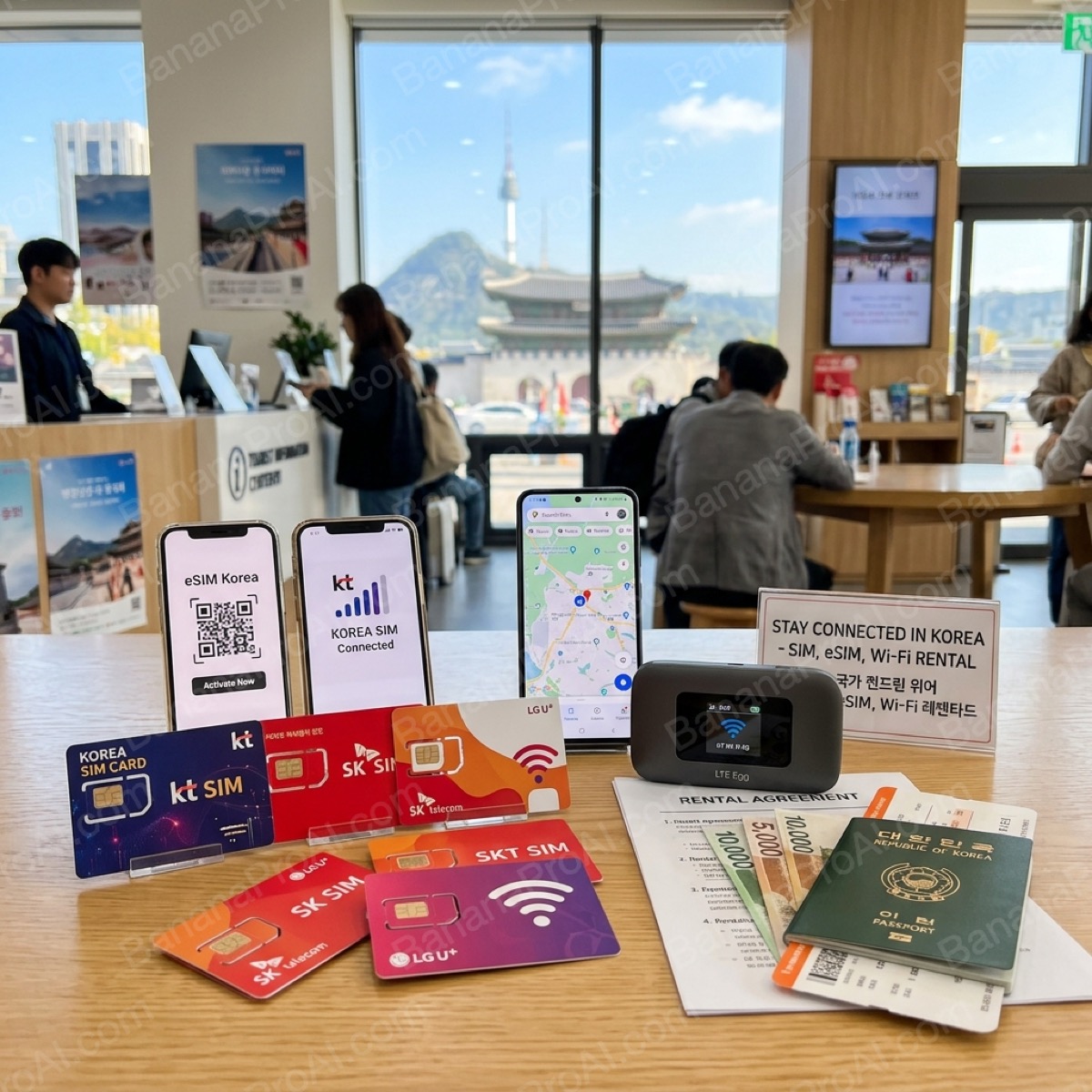
- Incheon Airport: KT, SK Telecom, and LG U+ booths in arrivals (open until late)
- Online pre-order: Klook or KKday — pick up at airport
- City shops: Any phone carrier store in Seoul
Popular Plans
| Provider | Data | Duration | Price |
|---|---|---|---|
| KT (olleh) | Unlimited (5GB full speed) | 5 days | ₩22,000 |
| SK Telecom | Unlimited (3GB full speed) | 5 days | ₩20,000 |
| LG U+ | Unlimited (5GB full speed) | 10 days | ₩33,000 |
Note: "Unlimited" plans throttle speed after the full-speed allowance (typically to 3 Mbps), which is still fine for maps and messaging.
Option 2: eSIM (No Physical Card Needed)
If your phone supports eSIM (iPhone XR and later, most recent Android phones), this is the most convenient option.
Top eSIM Providers
- Airalo: Korea plans from $5/1GB. Easy app setup. Popular with travelers worldwide.
- Ubigi: Data-only eSIM, good coverage on KT network.
- KT eSIM: Available on the KT Roaming website. Premium Korean network.
Pros
- Activate instantly — no waiting in line at the airport
- Keep your home SIM active for calls/texts
- Easy to top up if you need more data
Cons
- No Korean phone number (some Korean apps require one)
- Slightly more expensive per GB than physical SIMs
Option 3: Portable WiFi (Pocket WiFi)
A small device that creates a WiFi hotspot — perfect for groups traveling together.
Where to Rent
- Incheon Airport: WiFi Dosirak, KT WiFi booths (pick up & return at airport)
- Online: Klook, KKday, or WiFi Dosirak website
Cost
- ₩3,000–₩5,000 per day (unlimited data)
- Cheaper per person when sharing with travel companions
Pros
- Connect multiple devices (usually 5–10)
- Truly unlimited data at full speed
- No SIM swapping needed
Cons
- Need to carry an extra device and keep it charged
- Must return it before your flight
Free WiFi in Seoul
Seoul has extensive free WiFi coverage:
- Seoul Free WiFi: Available in all subway stations, many buses, and public areas
- Cafes: Nearly every cafe offers free WiFi (ask for the password)
- Convenience stores: GS25, CU, and 7-Eleven have free WiFi
However, free WiFi alone isn't enough for navigation while walking around — you'll want your own data connection.
Our Recommendation
| Traveler Type | Best Option | Why |
|---|---|---|
| Solo traveler (tech-savvy) | eSIM | Instant setup, no extra devices |
| Solo traveler (simple) | Airport SIM card | Staff helps with setup |
| Couple or group | Pocket WiFi | Share one device, save money |
| Short trip (1–2 days) | eSIM (Airalo 1GB) | Cheapest option |
The Three Networks: KT, SKT, and LG U+
Korea runs on three nationwide carriers, all of which offer tourist SIM cards. Coverage across all three is excellent in Seoul and major cities — the differences matter most in rural areas and on mountains.
| Carrier | Network Strength | Tourist SIM Options | Best For |
|---|---|---|---|
| KT (kt olleh) | Strongest rural coverage; widest mountain/subway penetration | 5G/LTE tourist SIM; 10-day, 20-day, 30-day; data-only or with calls | Travelers heading outside Seoul; hikers |
| SKT (T world) | Fastest 5G in dense urban areas; best speeds in Seoul | Tourist SIM via partner kiosks; prepaid eSIM available online | Urban-focused visitors; heavy data users |
| LG U+ | Strong urban coverage; third-place rural reach | Tourist SIM at airport counters and convenience stores | Budget-conscious travelers; short stays |
Bottom line: For most tourists staying primarily in Seoul and major cities, SKT or KT tourist SIMs are the safest choice. KT edges ahead for anyone planning day trips to national parks or coastal areas.
Airport vs. Online Purchase
At Incheon Airport (ICN)
All three carriers have counters on the arrivals floor of both Terminal 1 and Terminal 2. They open 24 hours and handle walk-in purchases — no reservation required. Bring your passport.
The convenience is real, but prices are roughly 10–20% higher than online. The airport counters also occasionally run out of specific plans during peak travel seasons (late July, Chuseok, Christmas–New Year). If you're arriving during a holiday rush, buying online in advance removes this risk.
Online Pre-Purchase (Klook, KKday, Direct Carrier Sites)
Ordering online 2–3 days before departure typically saves ₩5,000–₩15,000 on a standard 30-day SIM. You pick up at the airport from a designated counter — look for signs near the baggage claim exit. This is the move for anyone with a fixed itinerary and known data needs.
eSIM Options for Compatible Devices
If your phone supports eSIM (most flagships from 2021 onward do — check Settings), you can skip the physical SIM entirely. Korean carrier eSIMs and international eSIM providers both work:
- SKT eSIM: Purchase via SKT's website or a partner app; QR activation takes under 5 minutes
- Airalo / Nomad: Third-party eSIM providers with Korean data plans; activation before landing means connectivity the moment you step off the plane
- Roaming eSIM from your home carrier: Expensive but zero setup; fine for very short trips where data use will be light
One important check: some phones bought in the US on carrier installment plans have SIM locks that prevent third-party eSIMs from activating. Confirm your device is unlocked before relying on this option.
Pocket Wi-Fi: When It Makes Sense
Pocket Wi-Fi rental (available at airport counters from ₩8,000–₩12,000/day) makes sense for groups of three or more sharing a single data connection, or for travelers with older phones that lack eSIM support. For solo travelers, a SIM card is almost always cheaper and less fuss — no device to keep charged, no return obligation.
Activation Tips
- Physical SIM: Insert after clearing customs. Most tourist SIMs activate automatically within 5 minutes of insertion. If not, toggle airplane mode on/off.
- APN settings: KT tourist SIMs sometimes require manual APN entry (lte.ktfwing.com). The packaging includes instructions; airport counter staff will configure it on the spot if needed.
- iMessage and FaceTime over data: Works fine on Korean tourist SIMs. WhatsApp, Kakao Talk, and all major apps function normally.
- Emergency calls: All SIMs support 112 (police) and 119 (fire/ambulance) regardless of data status.